> ## Documentation Index
> Fetch the complete documentation index at: https://novu-c5de82d9-docs-homepage-redesign.mintlify.site/llms.txt
> Use this file to discover all available pages before exploring further.
# Set up the Inbox
> Learn how to integrate the Novu Inbox component into your application to display real-time notifications for your subscribers.
The Inbox component displays a notification bell by default, which opens a menu containing the subscriber's notifications and preferences.
## Installation
To get started, install the Inbox UI:
```package-install theme={null}
npm install @novu/nextjs
```
```package-install theme={null}
npm install @novu/react
```
**`@novu/react` requires React 18 or later.** The package supports React `^18.0.0` and React 19 (`^19.0.0`). React 17 and below are not supported. When rendering the Inbox UI, you also need `react-dom` at the same version.
# Add Novu Inbox to Next.js App
Install `@novu/nextjs`. Add the `` component to your header, navbar, or sidebar.
Latest docs: [https://docs.novu.co/platform/quickstart/nextjs](https://docs.novu.co/platform/quickstart/nextjs)
## Install
```bash theme={null}
npm install @novu/nextjs
```
## Component
```tsx theme={null}
'use client';
import { Inbox } from '@novu/nextjs';
export default function NotificationInbox() {
return (
);
}
```
## Subscriber ID
Use the app's existing auth system to get a unique user identifier for subscriberId. Check for Clerk, NextAuth, Firebase, Supabase, or custom auth. If no auth system exists, use `YOUR_SUBSCRIBER_ID`.
## Appearance
Extract design tokens from the host app (Tailwind config, CSS variables, theme objects) and apply them via the appearance prop. Only include values you extracted from the host design system — omit empty or placeholder appearance values.
## Rules
ALWAYS:
* Detect the project's package manager and use it for installation
* Extract design tokens and apply via the appearance prop
* Place `` inline in existing UI — no new pages or wrappers
* Use TypeScript, no comments, no empty props
* Follow Next.js conventions
* Use the existing auth system to source subscriberId when available
NEVER:
* Add empty appearance values or placeholder props
* Create wrapper components or new pages just for the inbox
* Add code comments
* Introduce styles not in the host app
* Add unused props or imports
## Verify Before Responding
1. Is `@novu/nextjs` installed with the project's package manager?
2. Is `` placed inline in existing UI?
3. Are design tokens extracted and applied?
4. Are all props non-empty and properly typed?
5. Is subscriberId sourced from the auth system when available?
If any fails, revise.
# Add Novu Inbox to React App
Install `@novu/react`. Add the `` component to your header, navbar, or sidebar.
Latest docs: [https://docs.novu.co/platform/quickstart/react](https://docs.novu.co/platform/quickstart/react)
## Install
```bash theme={null}
npm install @novu/react
```
## Component
```tsx theme={null}
import { Inbox } from '@novu/react';
import { useNavigate } from 'react-router-dom';
export default function NotificationInbox() {
const navigate = useNavigate();
return (
navigate(path)}
/>
);
}
```
## Subscriber ID
Use the app's existing auth system to get a unique user identifier for subscriberId. Check for Clerk, NextAuth, Firebase, Supabase, or custom auth. If no auth system exists, use `YOUR_SUBSCRIBER_ID`.
## Appearance
Extract design tokens from the host app (Tailwind config, CSS variables, theme objects) and apply them via the appearance prop. Only include values you extracted from the host design system — omit empty or placeholder appearance values.
## Rules
ALWAYS:
* Detect the project's package manager and use it for installation
* Extract design tokens and apply via the appearance prop
* Place `` inline in existing UI — no new pages or wrappers
* Use TypeScript, no comments, no empty props
* Follow React conventions
* Use the existing auth system to source subscriberId when available
NEVER:
* Add empty appearance values or placeholder props
* Create wrapper components or new pages just for the inbox
* Add code comments
* Introduce styles not in the host app
* Add unused props or imports
## Verify Before Responding
1. Is `@novu/react` installed with the project's package manager?
2. Is `` placed inline in existing UI?
3. Are design tokens extracted and applied?
4. Are all props non-empty and properly typed?
5. Is subscriberId sourced from the auth system when available?
If any fails, revise.
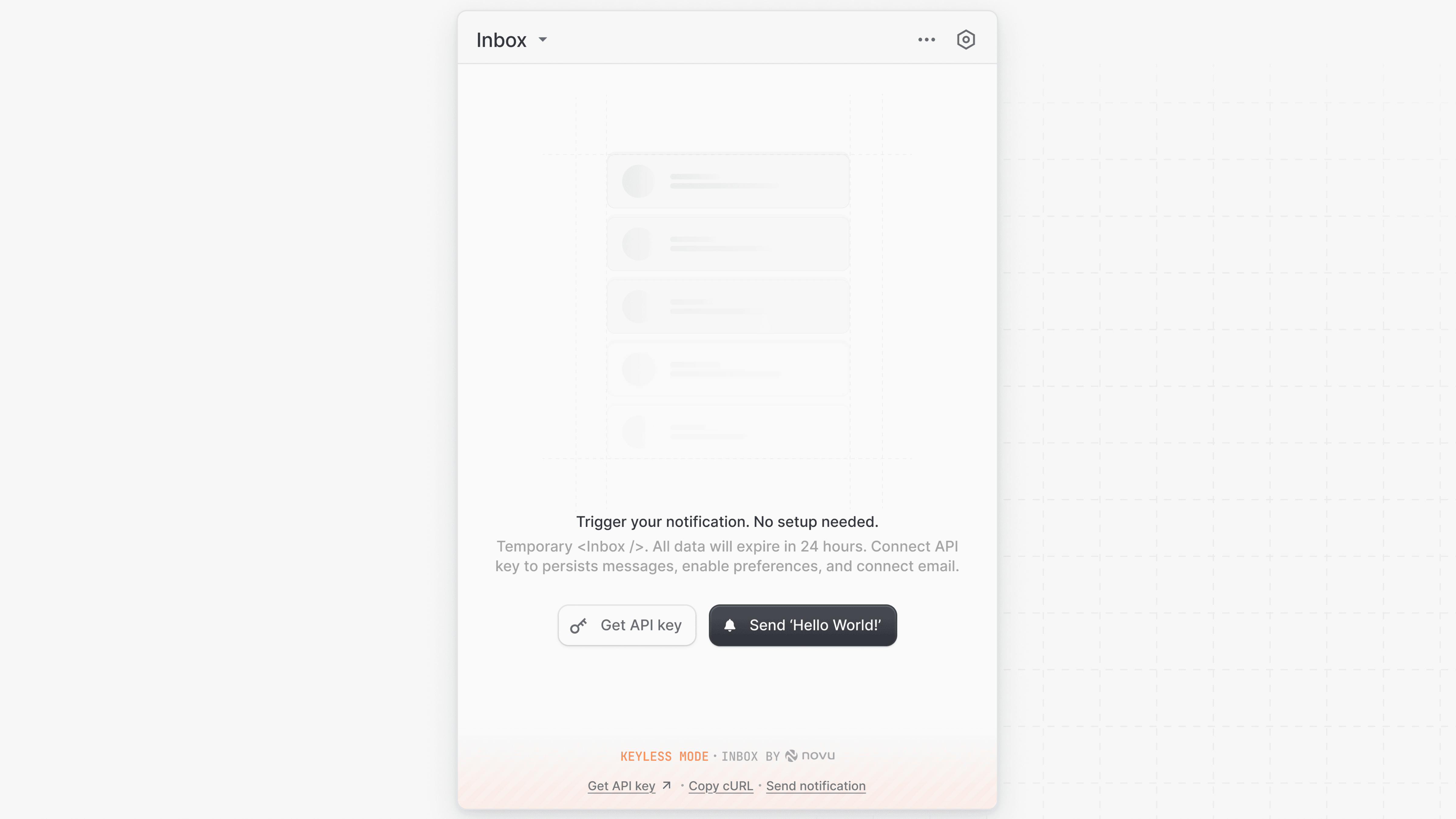
## Try Inbox in keyless mode
Keyless mode lets you test the look and features of the Inbox component instantly in your application, no setup required.
 ```tsx theme={null}
export function Novu() {
return (
);
}
```
```tsx theme={null}
export function Novu() {
return (
);
}
```
This is only for testing, the data is temporary (expires in 24h) and not tied to real subscribers.
## Use Inbox with real subscribers
To display real-time notifications for your subscribers, connect the Inbox component to your Novu environment using your `applicationIdentifier` and a `subscriberId`. You can create or manage subscribers from the [Novu Dashboard](https://dashboard.novu.co/subscribers).
### US region (default)
```tsx theme={null}
export function Novu() {
return (
);
}
```
```tsx theme={null}
export function Novu() {
return (
);
}
```
```tsx theme={null}
export function Novu() {
return (
);
}
```
```tsx theme={null}
export function Novu() {
return (
);
}
```
This is only for testing, the data is temporary (expires in 24h) and not tied to real subscribers.
## Use Inbox with real subscribers
To display real-time notifications for your subscribers, connect the Inbox component to your Novu environment using your `applicationIdentifier` and a `subscriberId`. You can create or manage subscribers from the [Novu Dashboard](https://dashboard.novu.co/subscribers).
### US region (default)
```tsx theme={null}
export function Novu() {
return (
);
}
```
```tsx theme={null}
export function Novu() {
return (
);
}
```
[Sign in](https://dashboard.novu.co/auth/sign-up) to get your own API keys
### EU region
If your Novu account is in the EU region, then include the `backendUrl` and `socketUrl` props to connect to EU-specific API endpoints:
```tsx theme={null}
export function Novu() {
return (
);
}
```
```tsx theme={null}
export function Novu() {
return (
);
}
```
[Sign in](https://dashboard.novu.co/auth/sign-up) to get your own API keys