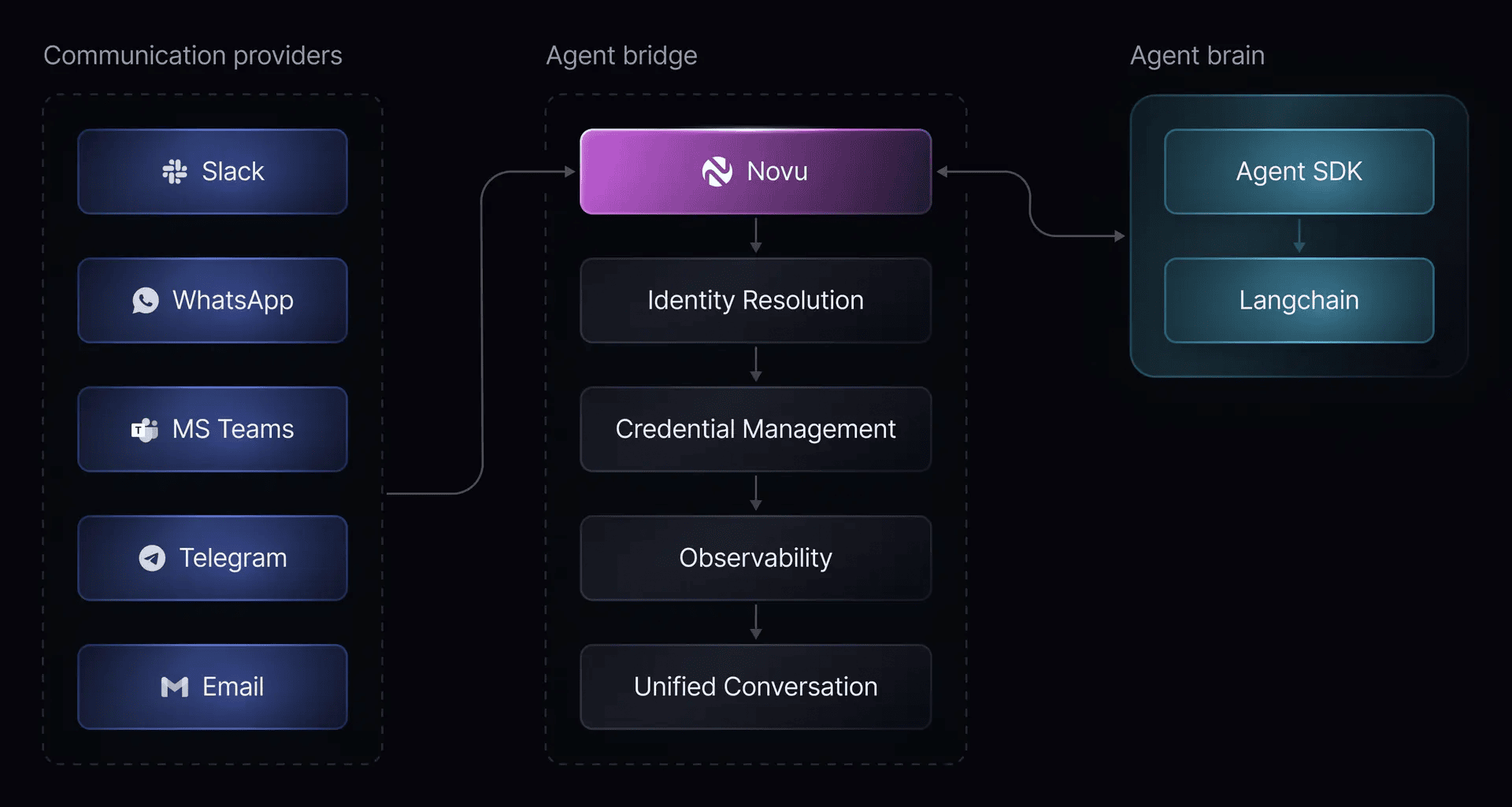
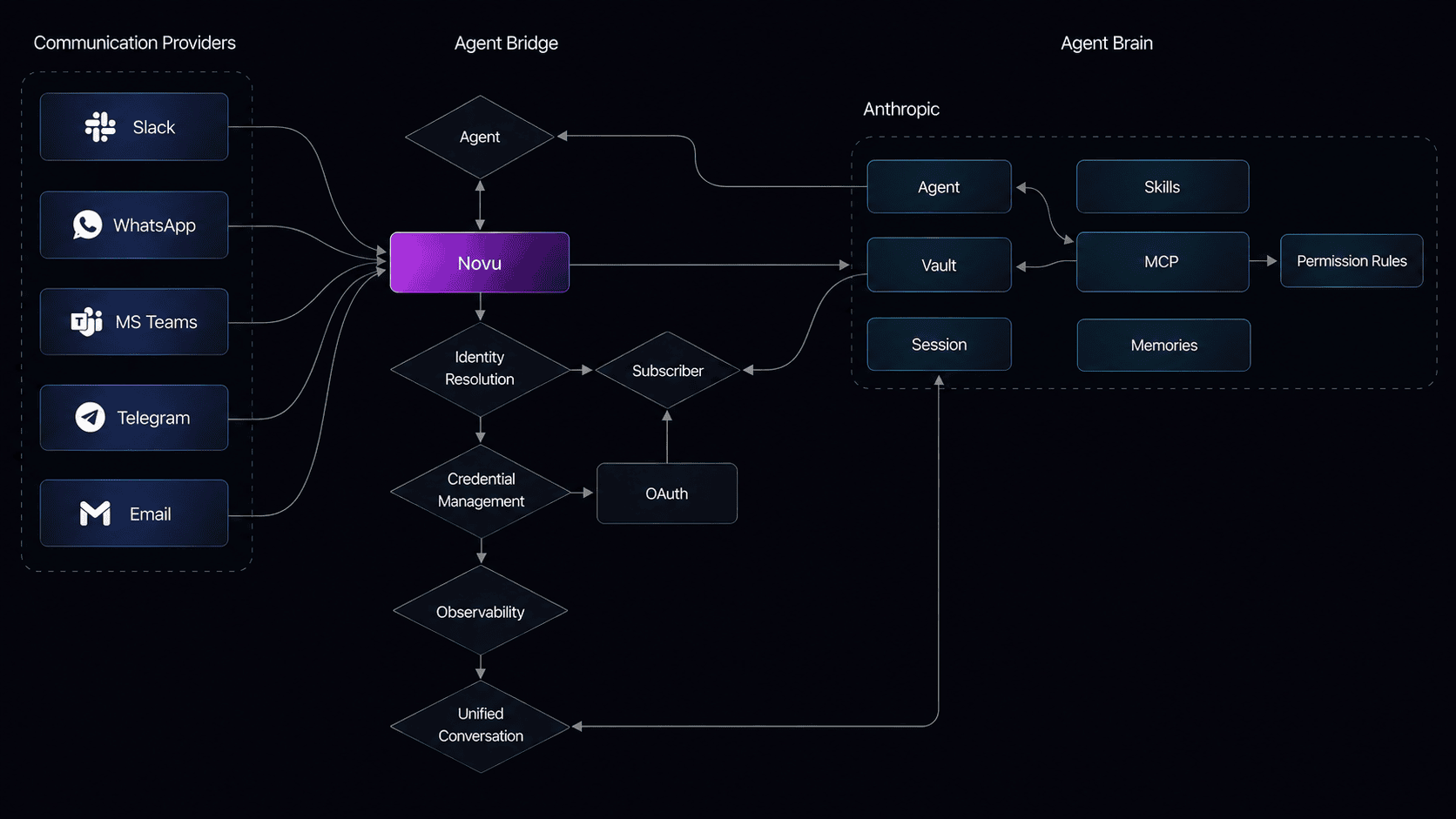
How inbound messages flow from a messaging platform through Novu to your agent code and back.
Agents are currently in private beta. Please contact us at support@novu.co to get access.
Novu for Agents sits between chat providers and your code. Users can message your agent, and your agent can message them back on the same thread.When a user sends a message or interacts with your agent from a connected platform, Novu receives it, resolves identity and conversation state, and forwards the full context to agent brain. Your agent brain processes the message and replies; Novu delivers the response back to the platform.
A custom code agent is one where you build the agent brain with your own code. Use the Agent SDK, LangChain, and similar tools to implement it. Your agent brain receives the context object and processes it however you decide. Call an LLM, run business logic, route to a human, or combine all three.
Custom code agent message flow from a connected platform through Novu to your agent brain and back.
A managed agent is one where a platform (for example, Claude) manages the agent’s intelligence and provides system tools such as grep, web search, and connections to external tools like Linear and Notion via MCP.
Managed agent message flow where the platform manages intelligence and system tools.
A conversation is the stateful thread where communication happens. When a user sends a message from a connected provider, Novu creates a new conversation or loads the existing one for that thread. The conversation includes message history, metadata, participants, status, and platform context needed to process the next interaction.A conversation can include multiple participants. The agent is one participant in the conversation, but it is not the conversation itself. This distinction matters when you inspect conversations in the dashboard or build agent behavior around conversation state. A Slack thread, email thread, or other provider-specific thread maps to a conversation in Novu automatically.
Participants are the people, agents, or systems involved in a conversation. When a user messages your agent from a provider, Novu tries to resolve that platform user to a known subscriber.
If a match exists, the handler receives subscriber information such as subscriber ID, name, or email. This subscriber is used to identify the user across conversations.
If no match exists, the user is tracked as a platform user and your agent brain should account for cases where subscriber data is unavailable.
Once identity is resolved later, they are upgraded to a full subscriber and future messages include their subscriber data. Subscriber identity helps your agent personalize responses, look up account details, or decide whether a conversation should be escalated. Identity resolution is provider-aware: a Slack user and an email sender may each have different identifiers at the provider level that Novu resolves to a single subscriber.
Novu calls your agent brain with the complete context: the message, conversation history, subscriber, and platform details. Your agent brain processes it with your LLM, business logic, or any system you choose and calls ctx.reply() in case of custom code agent or sends a reply message to the platform in case of managed agent.