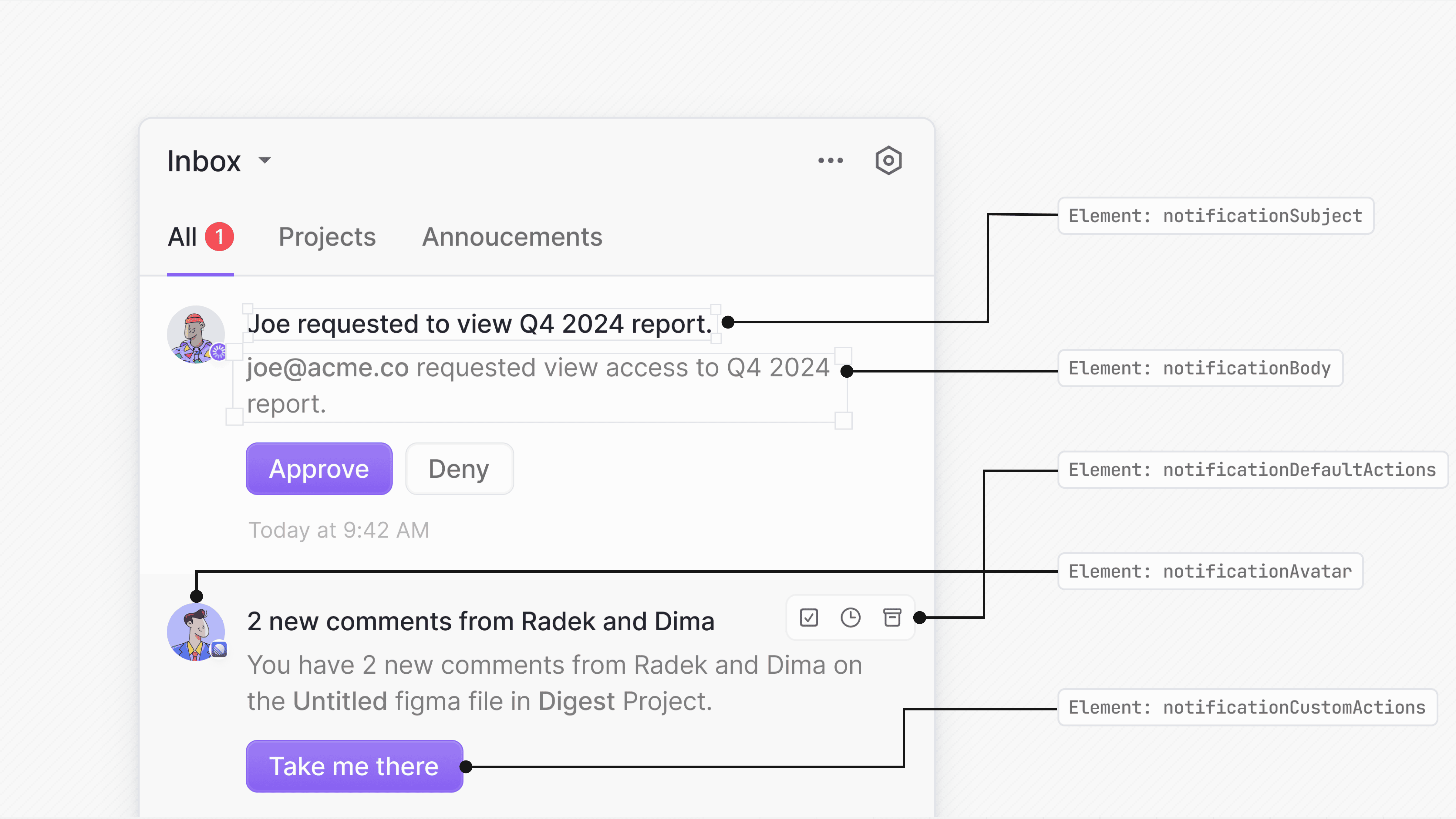
Novu exposes render props to customize parts of the default Inbox notification item—subject, body, avatar, default/custom actions, or the entire notification.
Each render prop receives the full notification object, giving you access to all the data needed to build a fully custom UI.
Customize notification subject
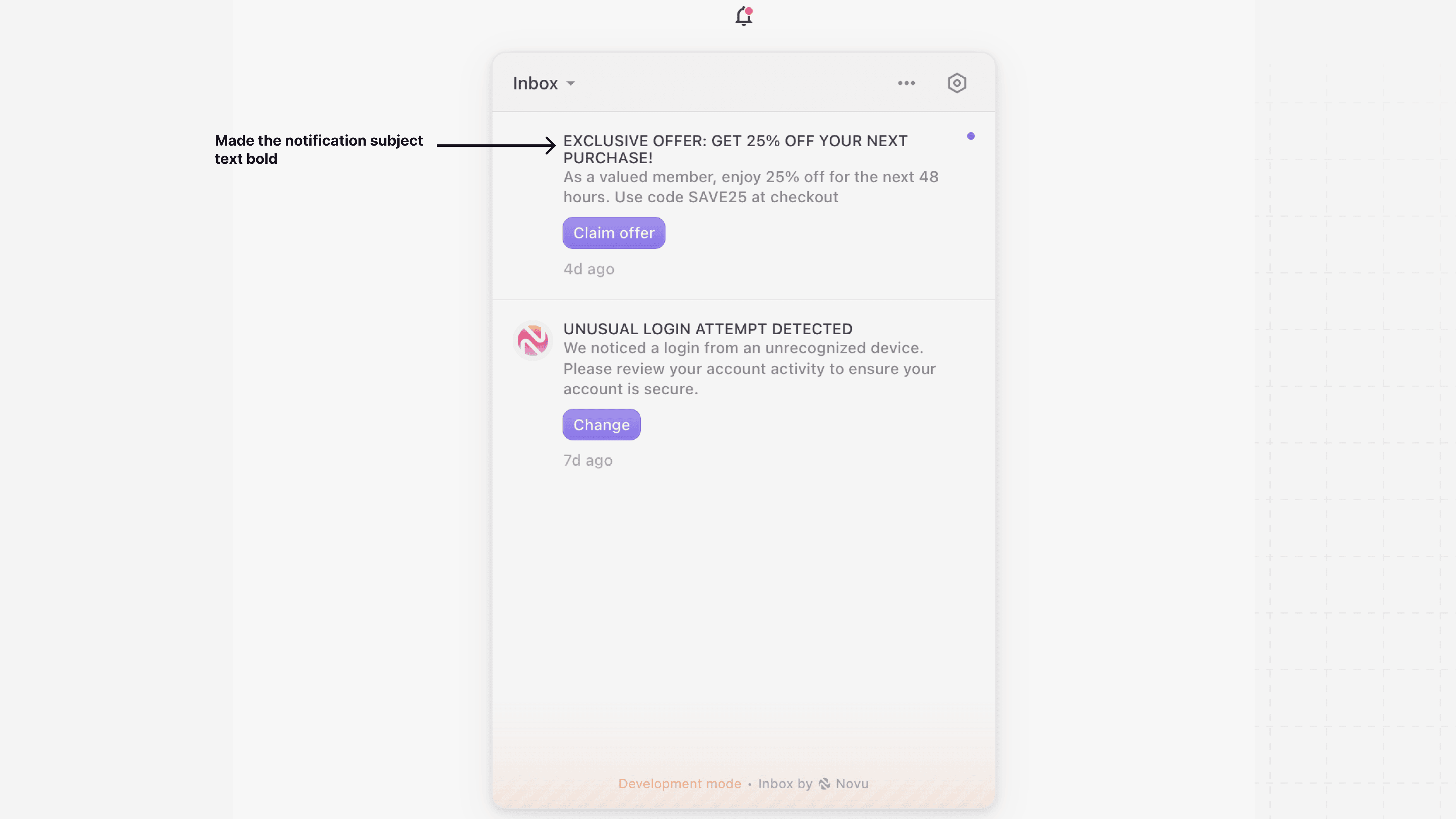
Use the renderSubject prop to provide a custom component for the notification’s subject line while keeping the rest of the notification style intact.
import { Inbox } from '@novu/react';
function NovuInbox() {
return (
<Inbox
applicationIdentifier="YOUR_APPLICATION_IDENTIFIER"
subscriber="YOUR_SUBSCRIBER_ID"
renderSubject={(notification) => (
<strong>{notification.subject.toUpperCase()}</strong>
)}
/>
);
}
export default NovuInbox;
Customize notification body
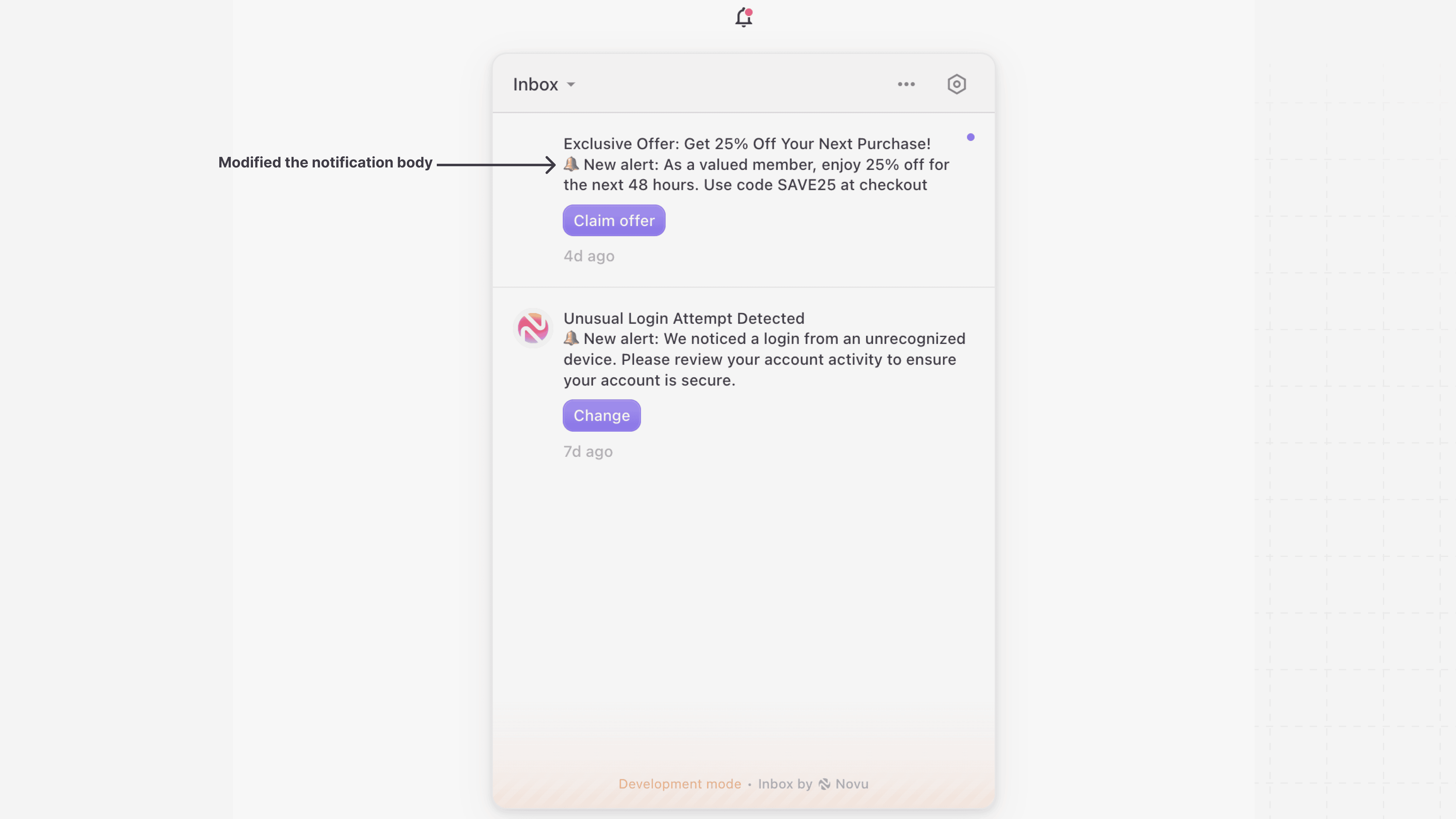
Use renderBody if you want to keep the default Inbox UI and only change how the body is rendered. This is useful when you want to customize content formatting or include additional fields from the data object.
import { Inbox } from '@novu/react';
function NovuInbox() {
return (
<Inbox
applicationIdentifier="YOUR_APPLICATION_IDENTIFIER"
subscriber="YOUR_SUBSCRIBER_ID"
renderBody={(notification) => (
<div>
<p>🔔 New alert: {notification.body}</p>
</div>
)}
/>
);
}
export default NovuInbox;
Customize notification avatar
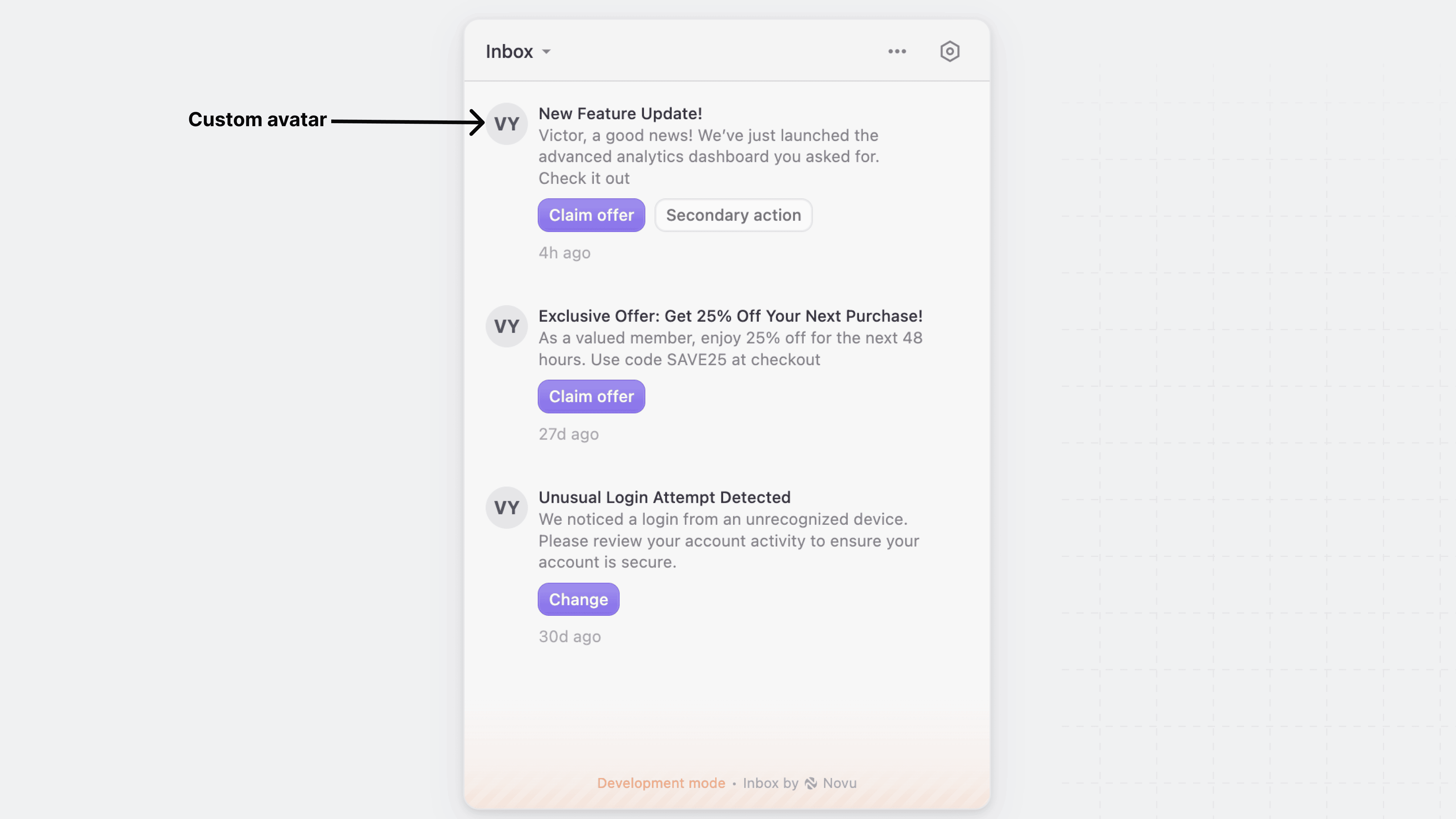
Use the renderAvatar prop to replace the default notification avatar with your own custom component. This allows you to display user images, icons, or any other visual element that fits your application’s design.
import { Inbox } from '@novu/react';
function NovuInbox() {
return (
<Inbox
applicationIdentifier="YOUR_APPLICATION_IDENTIFIER"
subscriber="YOUR_SUBSCRIBER_ID"
renderAvatar={(notification) => (
<div className="w-8 h-8 rounded-full bg-gray-200 text-gray-700 flex items-center justify-center text-sm font-bold">
VY
</div>
)}
/>
);
}
export default NovuInbox;
Customize notification actions
Novu provides render props to customize actions:
Default actions
Use the renderDefaultActions prop to override the default action buttons for notifications, such as “Archive,” “Mark as Read,” and “Snooze.”
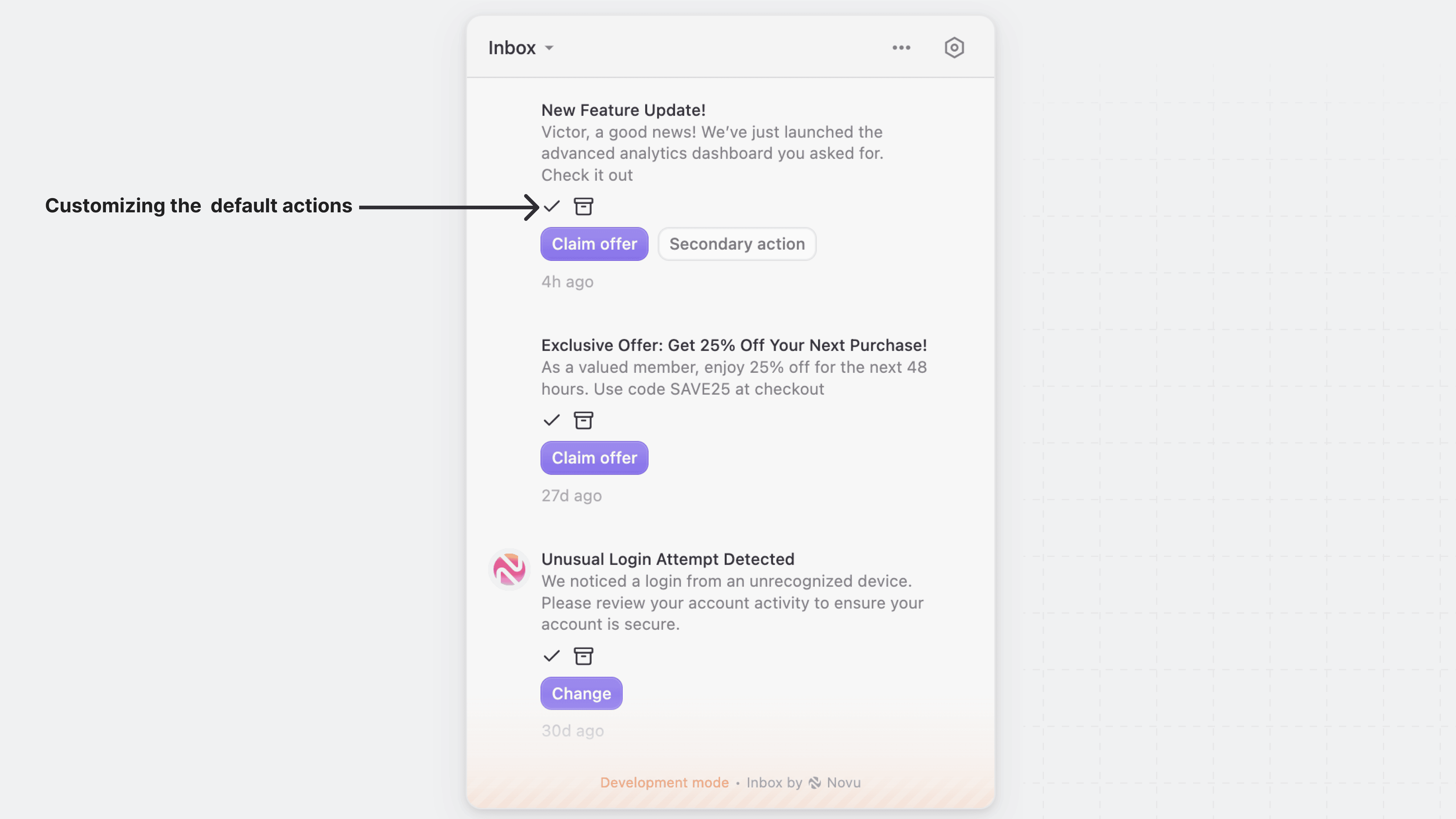
import { Inbox } from '@novu/react';
import { Archive, Check } from 'lucide-react';
function NovuInbox() {
return (
<Inbox
applicationIdentifier="YOUR_APPLICATION_IDENTIFIER"
subscriber="YOUR_SUBSCRIBER_ID"
renderDefaultActions={(notification) => {
<div className="flex gap-2">
<button
className="p-1 text-green-600 hover:text-green-800"
title="Mark as read"
>
<Check className="w-4 h-4" />
</button>
<button
className="p-1 text-gray-500 hover:text-gray-700"
title="Archive"
>
<Archive className="w-4 h-4" />
</button>
</div>
}}
/>
);
}
export default NovuInbox;
Custom actions
Use the renderCustomActions prop to override the primary and secondary actions buttons with your own action button. This is useful for creating unique design and interactions specific to your application.
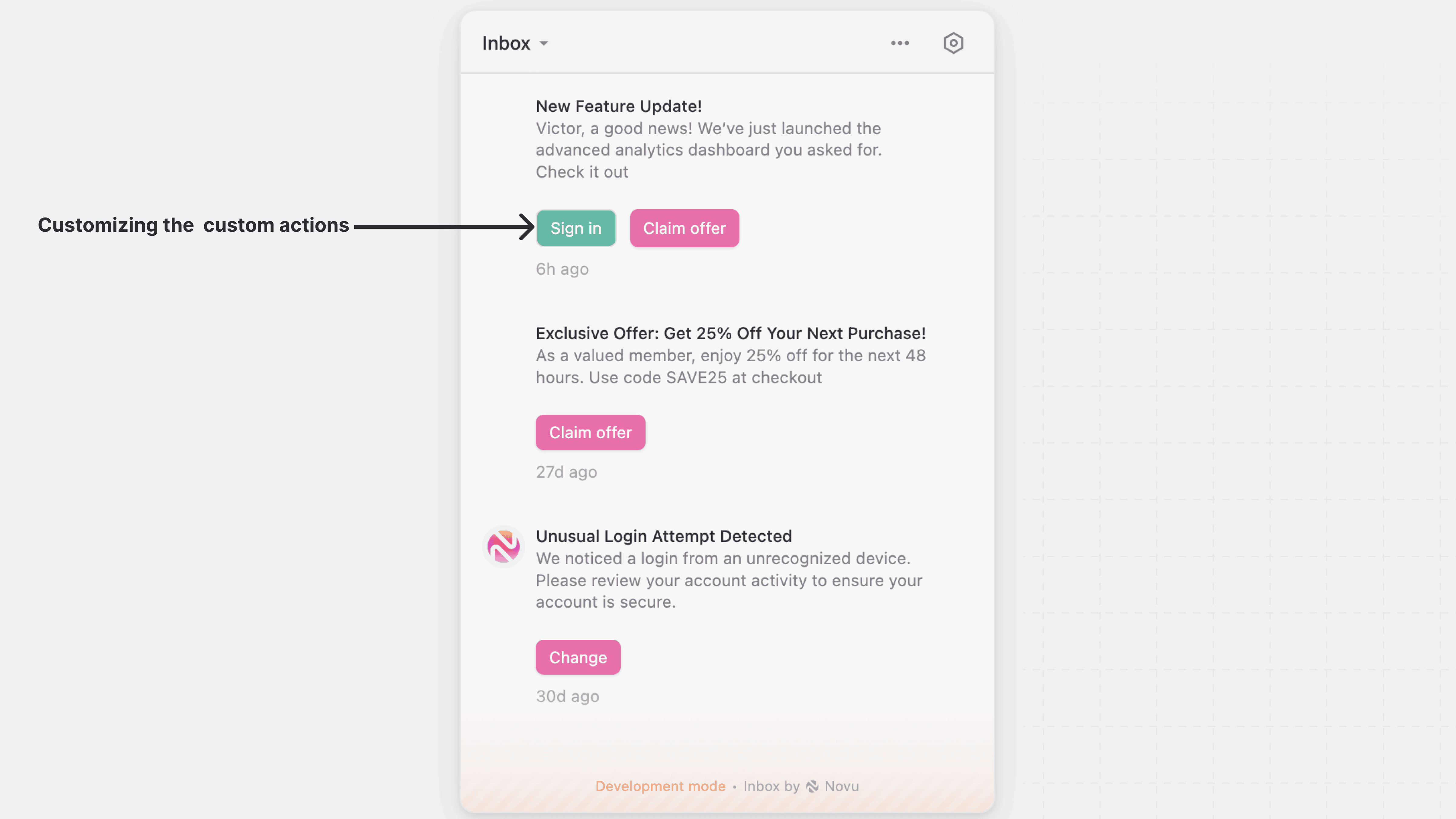
import { Inbox } from '@novu/react';
function NovuInbox() {
const primaryButtonStyle = {
border: 'none',
padding: '5px 10px',
borderRadius: '6px',
cursor: 'pointer',
fontSize: '12px',
background: '#FB4CA3',
color: 'white',
boxShadow: '0 1px 2px rgba(0,0,0,0.1)',
};
const secondaryButtonStyle = {
border: '1px solid #E0E0E0',
padding: '5px 10px',
borderRadius: '6px',
cursor: 'pointer',
fontSize: '12px',
background: '#00B698',
color: '#ffffff',
};
return (
<Inbox
applicationIdentifier="YOUR_APPLICATION_IDENTIFIER"
subscriber="YOUR_SUBSCRIBER_ID"
renderCustomActions={(notification) => {
return (
<div style={{ display: 'flex', gap: '10px', marginTop: '12px' }}>
{notification.secondaryAction && (
<button
style={secondaryButtonStyle}
>
Sign in
</button>
)}
{notification.primaryAction && (
<button
style={primaryButtonStyle}
>
{notification.primaryAction.label}
</button>
)}
</div>
);
}}
/>
);
}
export default NovuInbox;
Customize the entire notification item
Use the renderNotification prop to customize the entire notification item in the Inbox UI, including the container, layout, and the content of the subject and body of each notification.
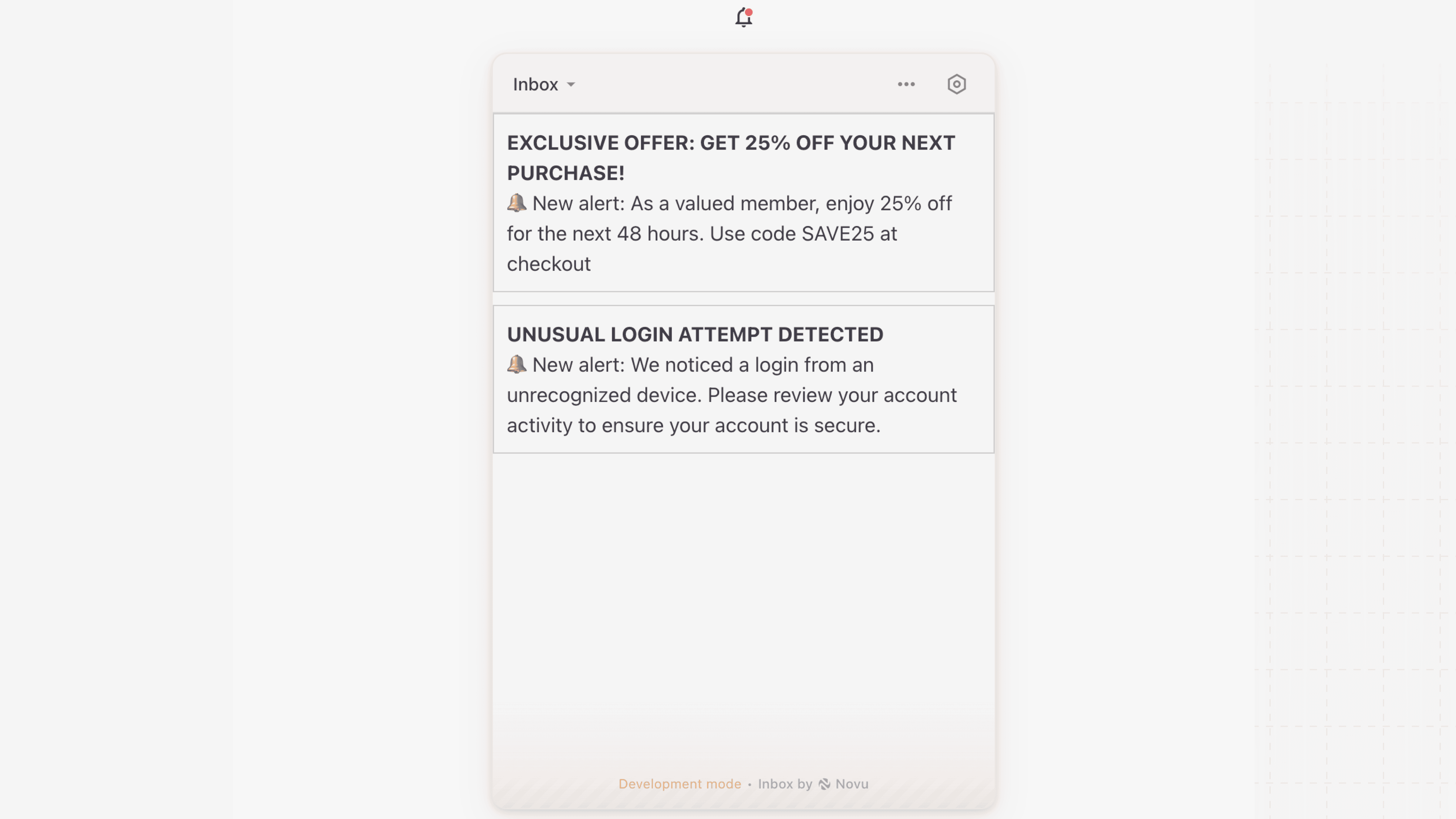
While renderNotification gives you full control over the notification UI, it is not recommended for most use cases. Using it means you will have to re-create the Inbox component built-in actions like mark as read, archive snooze, and other interaction tooltips yourself.
import { Inbox } from '@novu/react';
function NovuInbox() {
return (
<Inbox
applicationIdentifier="YOUR_APPLICATION_IDENTIFIER"
subscriber="YOUR_SUBSCRIBER_ID"
renderNotification={(notification) => (
<div style={{ padding: '10px', border: '1px solid #ccc', marginBottom: '10px' }}>
<h3>{notification.subject}</h3>
<p>{notification.body}</p>
</div>
)}
/>
);
}
export default NovuInbox;