

This feature is currently in public beta, please contact us at support@novu.co to enable it for your organization.
Adding an HTTP step
You can add an HTTP step anywhere within a workflow. When workflow execution reaches this step, the workflow will perform the configured request and the response can be used by steps that follow.Configuring the request
You can configure the HTTP request using the following properties:- Method: Select the standard HTTP method such as
GET,POST,PUT,PATCH, orDELETE. - URL: Provide the destination endpoint for the request. A placeholder URL is included by default to help you test the behavior quickly.
- Headers: Define any required HTTP headers. These can be input as key-value pairs.
- Body: Provide the request payload. As with headers, you can use key-value pairs.
- Response Schema: Define the response schema for the API response. It is similar to defining the payload schema for the workflow. Response schema validation can also be enforced at the HTTP step level.
Injecting workflow context
The HTTP step supports LiquidJS across all configuration fields, including theURL, Headers, and Body. This allows you to dynamically inject variables from the workflow context into your API request. You can use data from the subscriber, the event payload, or results from previous steps.
Testing the HTTP request
You can test your configured HTTP request directly from the step editor without running a full workflow. This helps you verify the configuration and observe the API behavior. Test executions performed in the step editor do not create workflow activity logs. Any validation or preview errors are surfaced directly on the step preview pane so you can resolve them before finalizing the configuration.Consuming the API response
When the HTTP request succeeds, the API response is stored in the step results. You can access these results in subsequent steps or condition rules using the{{steps.step_id.responseFieldName}} variable.
When consuming these response values in the channel step editors or in step conditions, you will see available response fields in variable autocomplete.
The example below determines whether to send an email using the shouldSendEmail field from the HTTP response in the email step condition. It uses the {{steps.http-request-step.shouldSendEmail}} variable, where http-request-step is the step id and shouldSendEmail is the response field name.
Similarly, you can use the response fields in the email step content to personalize the email content.
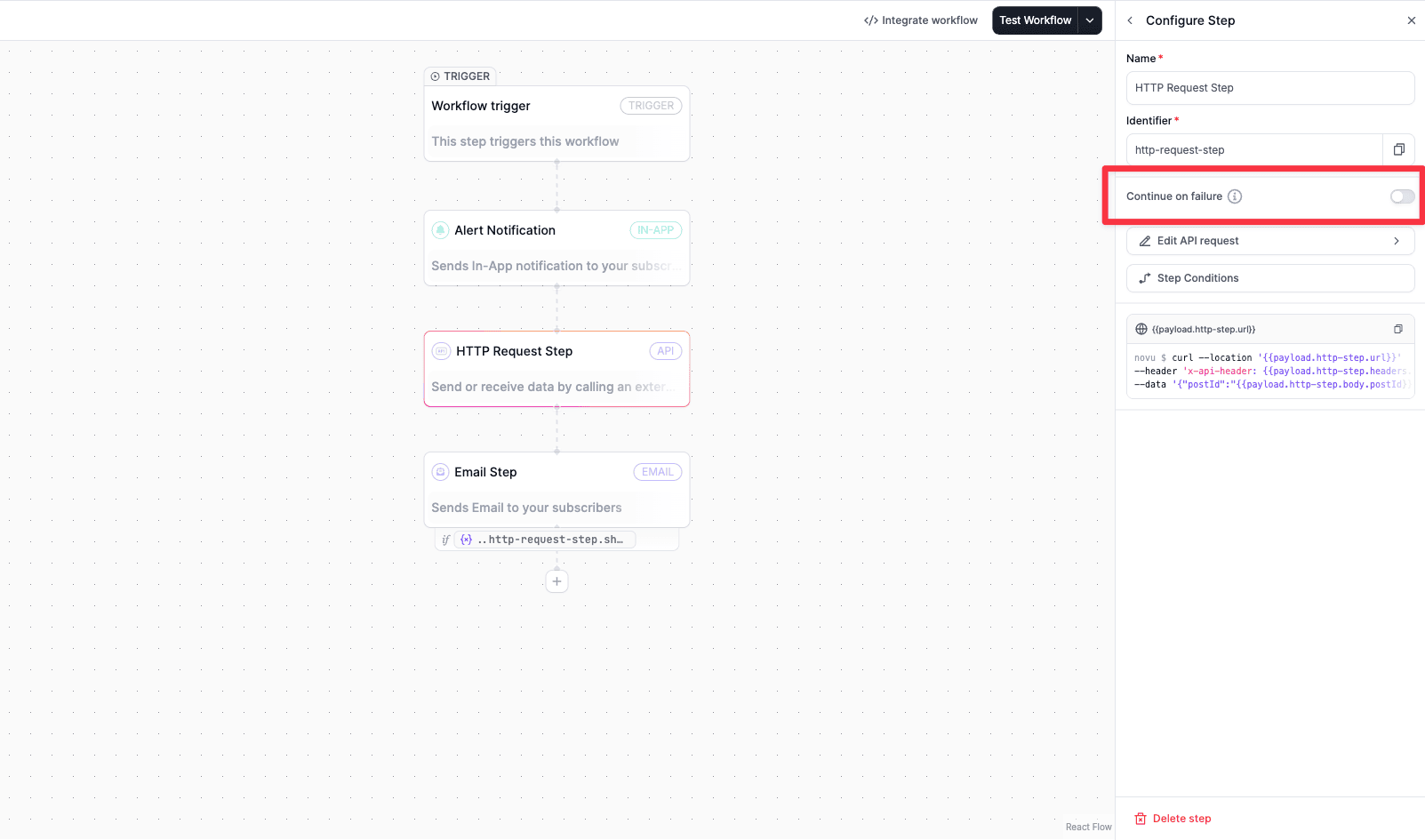
Error handling and failure behavior
The HTTP step treats the following scenarios as failures:- Non-2xx HTTP response status codes.
- Network timeouts.
- Network errors.
Securing HTTP requests
With each API request, novu sendnovu-signature header. This header is a HMAC signature of the request body and the timestamp. You can verify the authenticity of the request by verifying the HMAC signature. Below example shows how to verify the HMAC signature in a Next.js API route. Here, Novu secret key is used to generate the HMAC signature. You can copy the secret key from the Novu API Keys page.
Replace
YOUR_SUBSCRIBER_ID with a subscriber from your Novu dashboard and store your secret key as NOVU_SECRET_KEY in environment variables.Implement a Novu HTTP webhook handler
api/novu-http-step-request/route.ts