

Email Activity Tracking is available on Novu Cloud and Enterprise self-hosted only. It is not included in the Community self-hosted edition. Contact us at sales@novu.co to learn more about Enterprise self-hosted licensing.
Step 1: Get your webhook URL from Novu
First, you need the unique webhook URL from your Novu dashboard that will receive events from Mailgun.- Log in to the Novu dashboard.
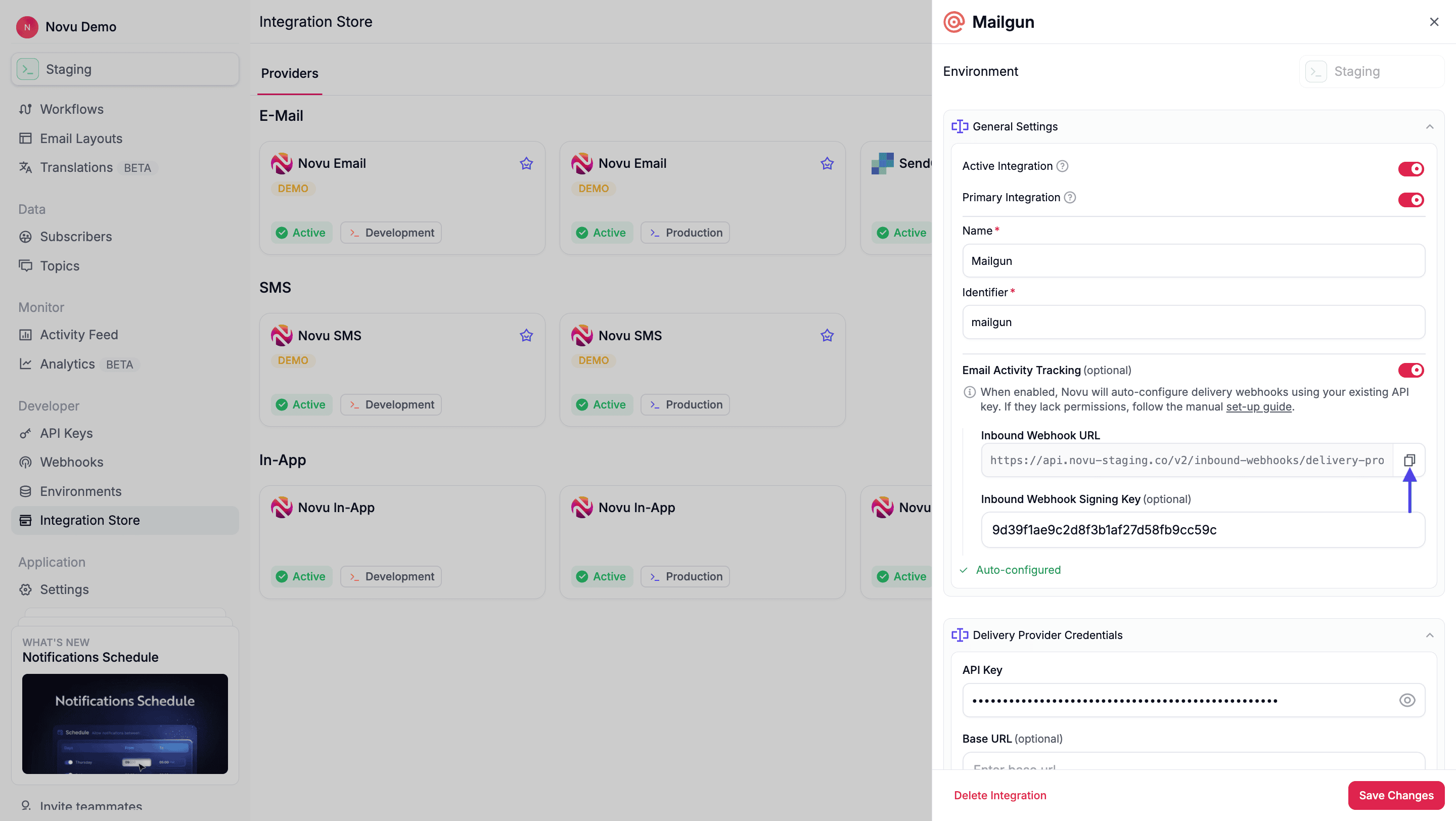
- Navigate to the Integration Store page in Novu and then select your Mailgun integration.
- Enable the Email Activity Tracking toggle. This generates an Inbound Webhook URL unique to your integration.
-
Copy the URL, you’ll use it in the Mailgun dashboard if you want to add specific events manually.
Step 2: Add an event webhook in Mailgun
Next, log in to your Mailgun account to create a new webhook for the specific event you want to track.- Log in to your Mailgun account.
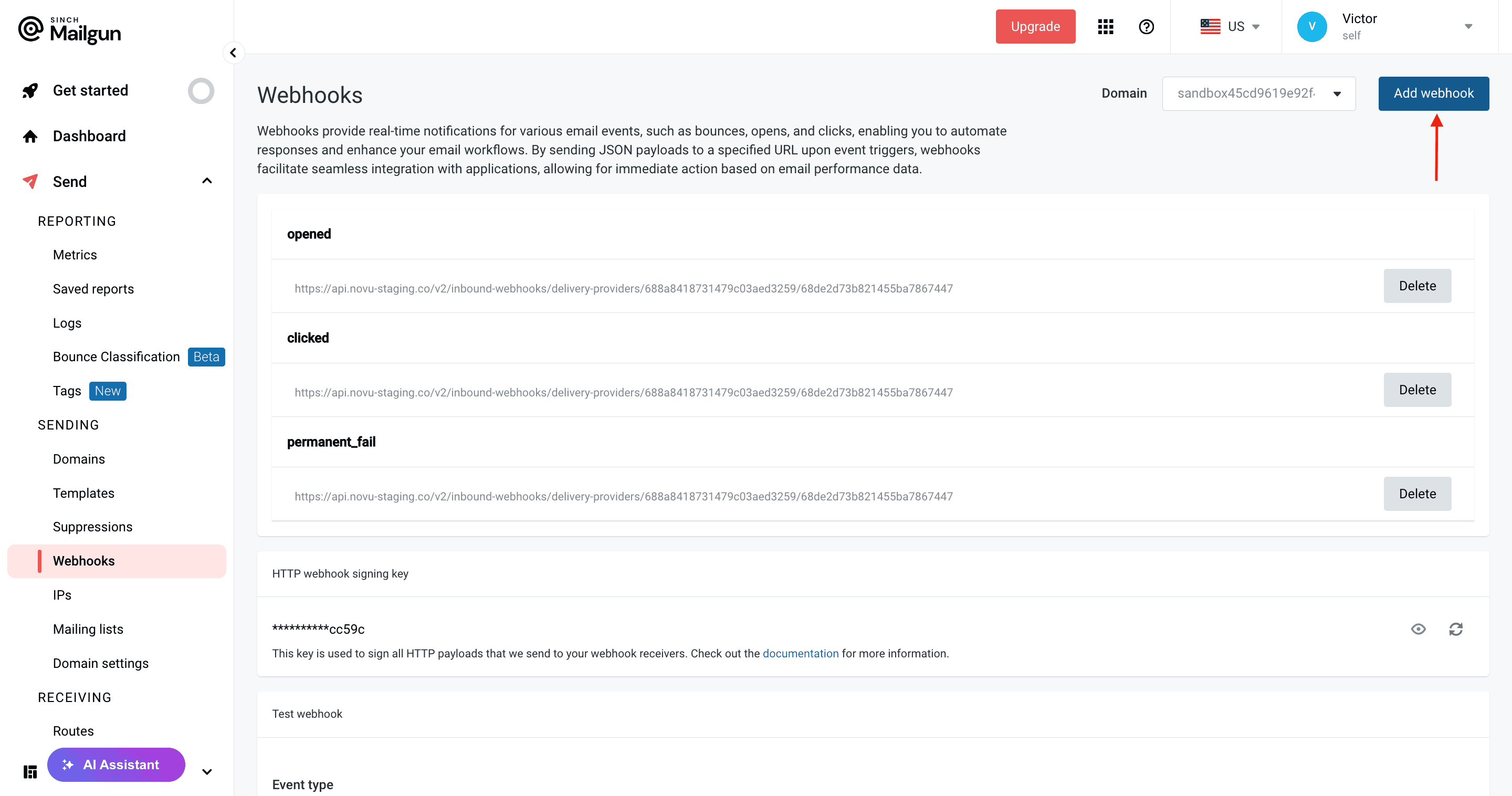
- Navigate to Send section in the left sidebar, and then select Webhooks.
- Click Add webhook.
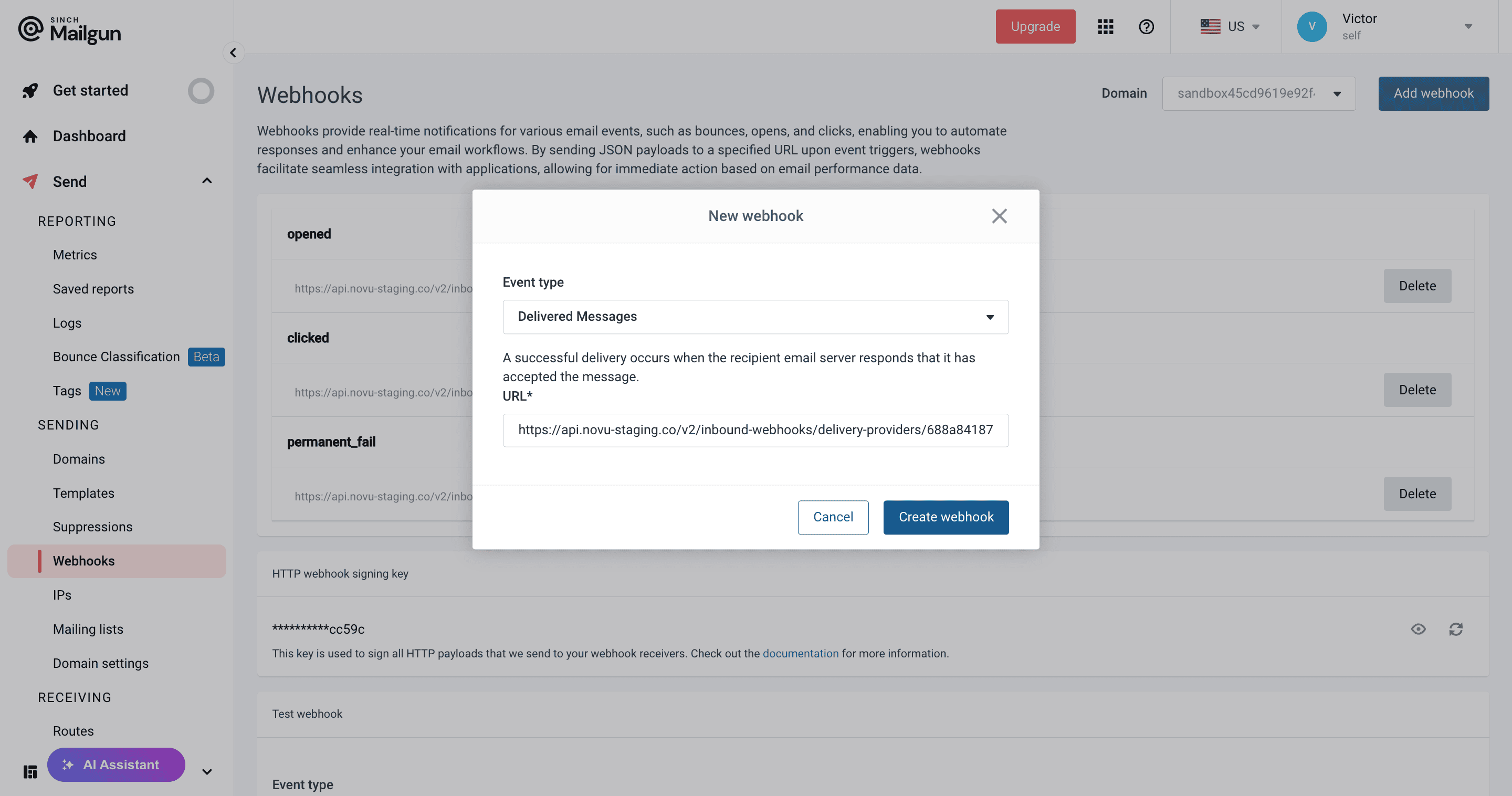
- A menu will appear. Configure the webhook with the following settings:
- Event type: Select the event you want to track from the dropdown menu.
- URL: Paste the Inbound Webhook URL you copied from Novu.
- Click Create Webhook.
Step 3: Add additional events (Optional)
Your new webhook for the selected event is now active. To track other events, you must repeat the process in Step 2 for each one. We recommend adding webhooks for all events that Novu supports:- Delivered messages
- Opens
- Clicks
- Unsubscribes
- Spam complaints
- Permanent failures