

Email Activity Tracking is available on Novu Cloud and Enterprise self-hosted only. It is not included in the Community self-hosted edition. Contact us at sales@novu.co to learn more about Enterprise self-hosted licensing.
Step 1: Get your webhook URL from Novu
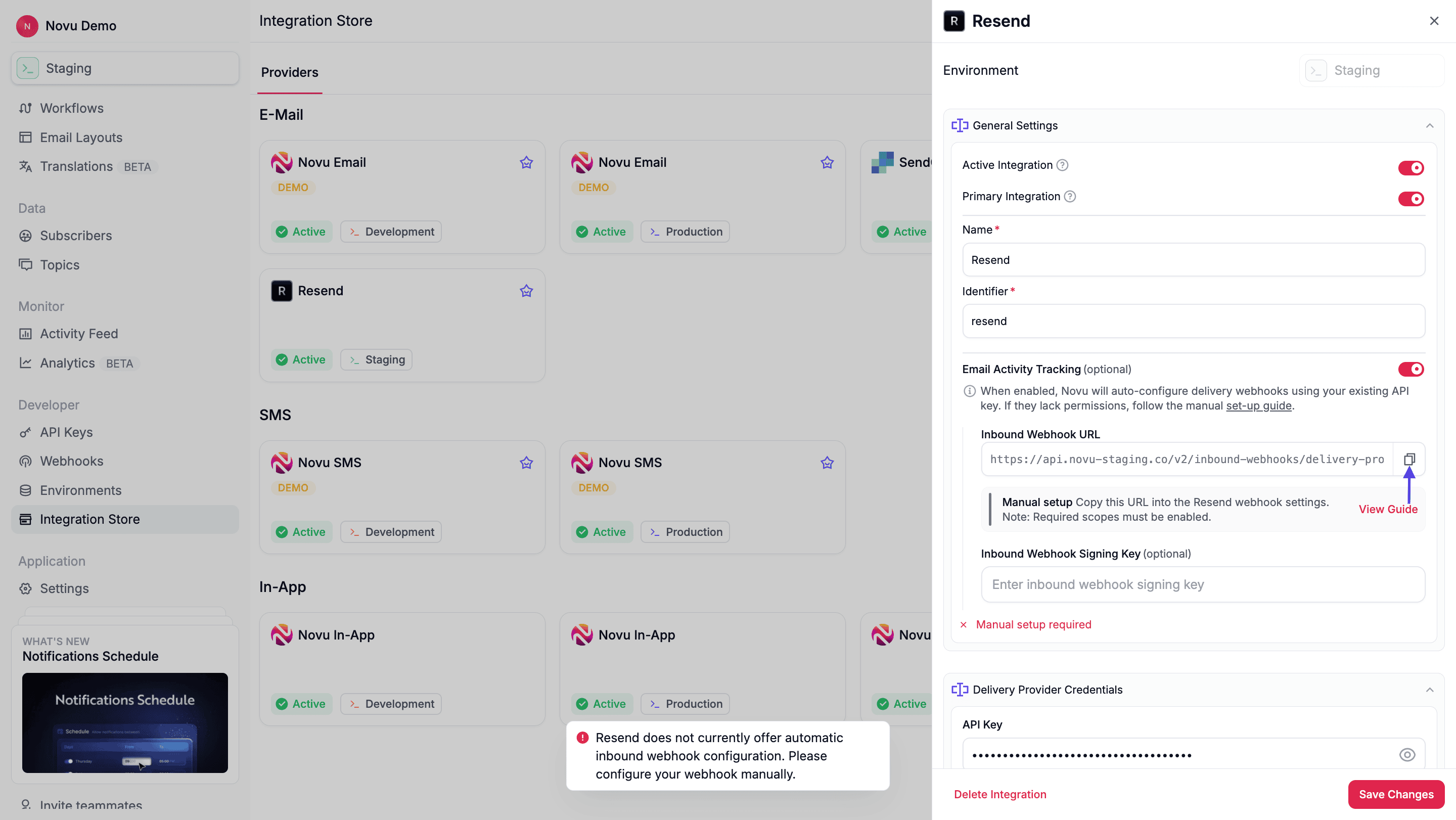
First, you need the unique webhook URL from your Novu dashboard that will receive events from Resend.- Navigate to the Integration Store page in Novu and select your Resend integration.
- Enable the Email Activity Tracking toggle.
- A unique Inbound Webhook URL will be displayed. Click the copy icon to copy it.
Step 2: Create the webhook in Resend
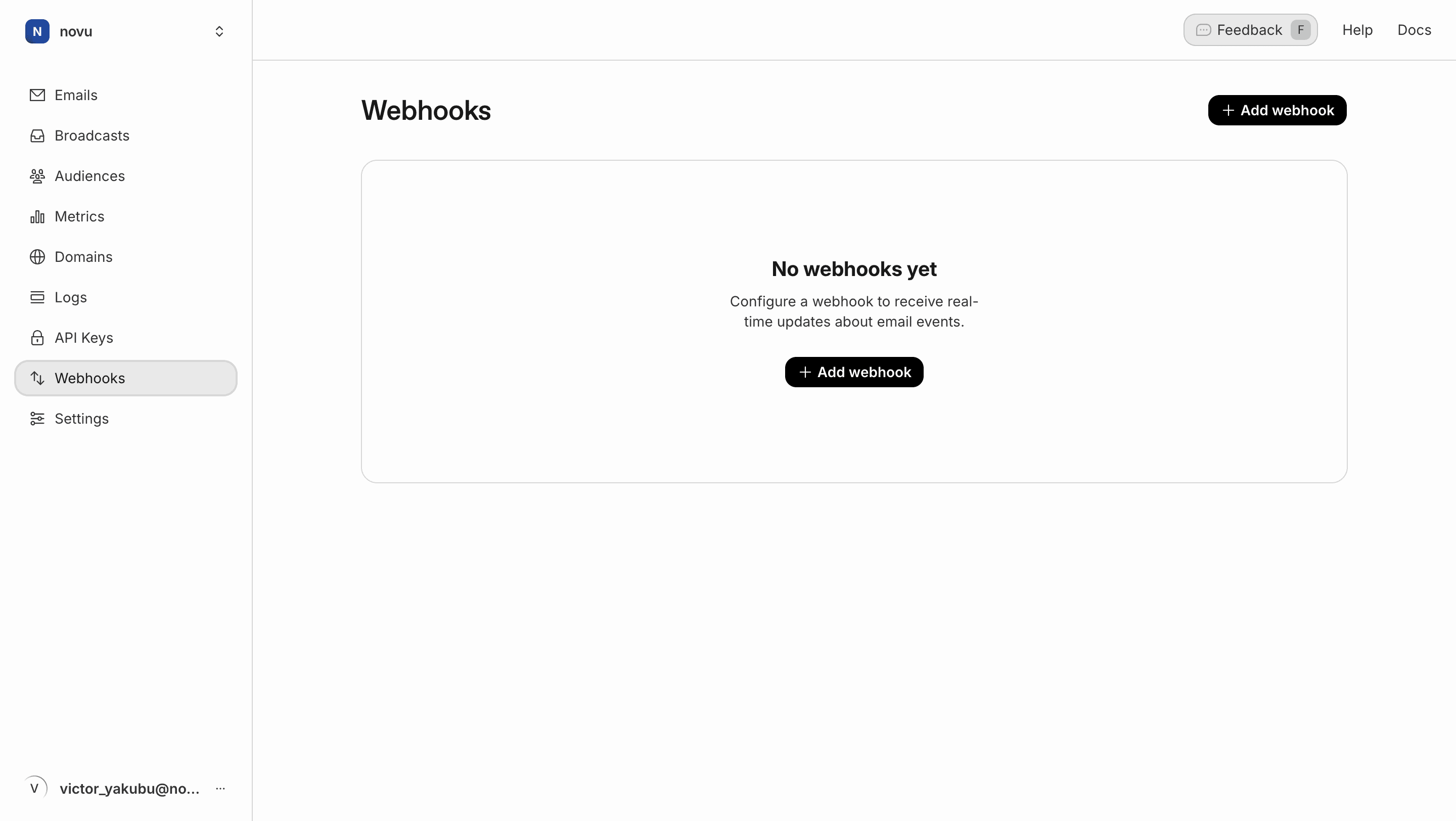
Next, log in to your Resend dashboard to create the webhook.- From the sidebar menu of your Resend dashboard, click on Webhooks.
- On the webhooks page, click Add webhook.
- In the menu that appears, configure the following:
- Endpoint URL: Paste the Inbound Webhook URL you copied from Novu.
- Events to send: Select Email to subscribe to all email events.
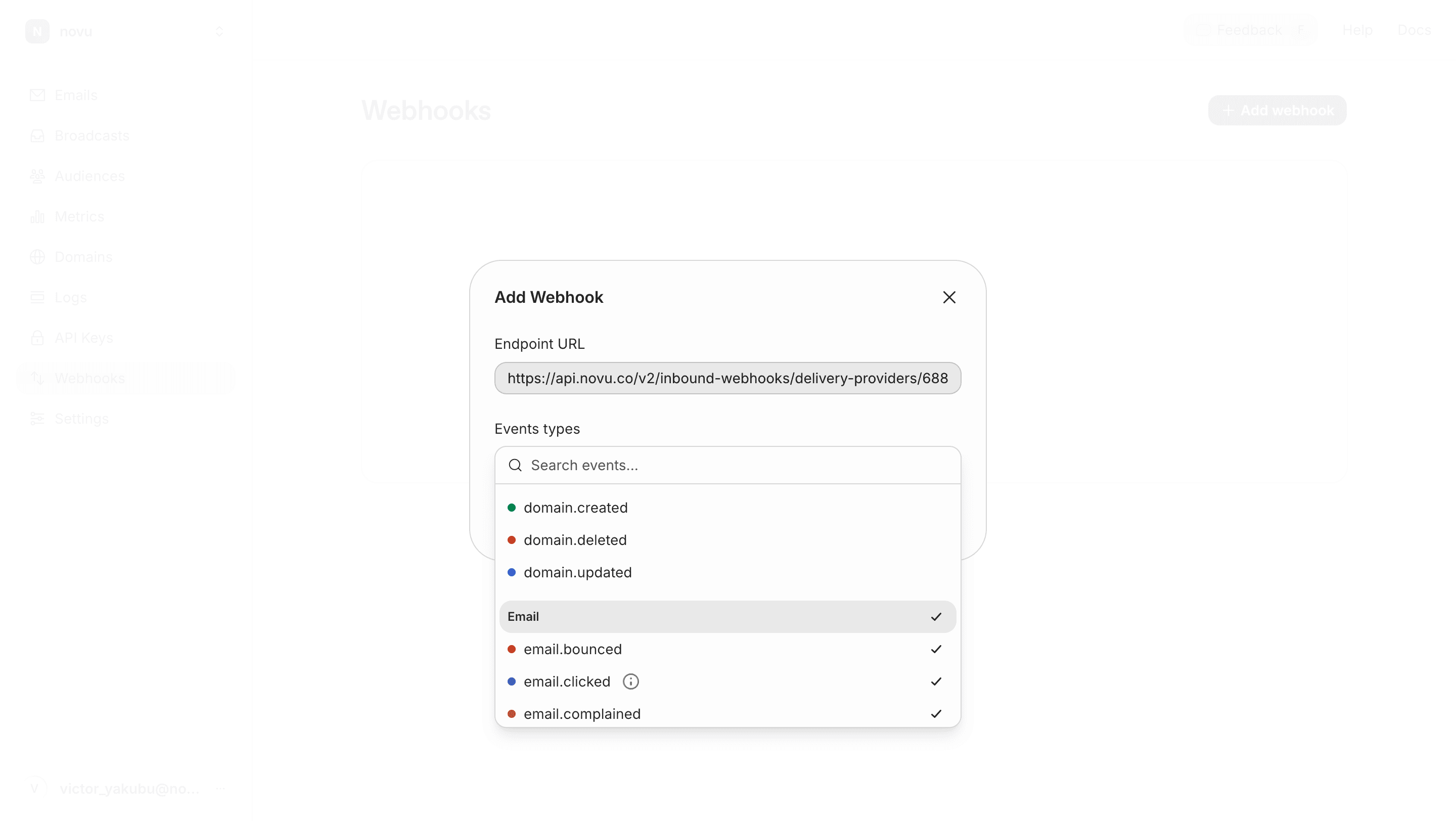
- Click Add to create the webhook.
Step 3: Add the signing secret (Recommended)
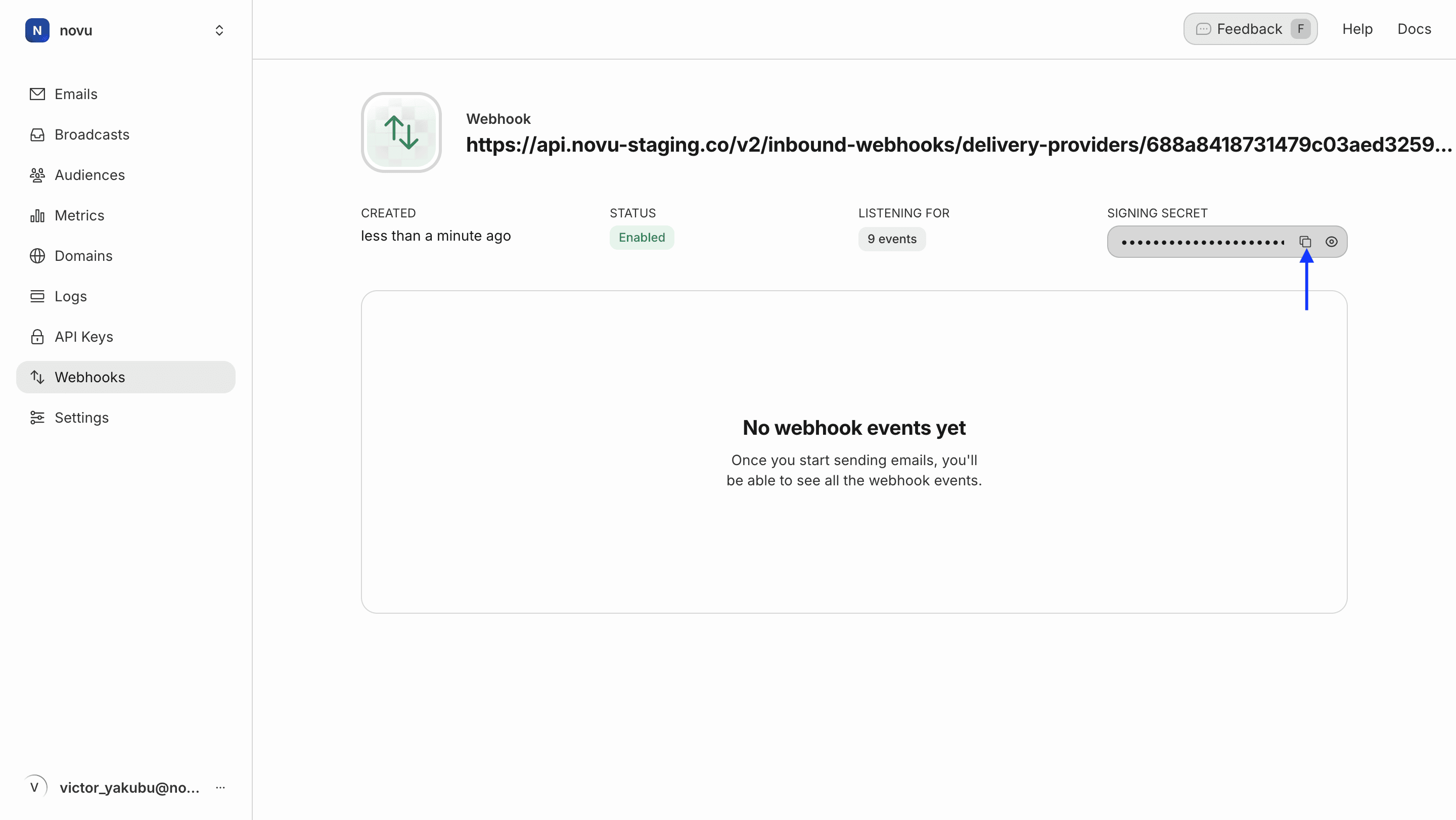
For a more secure and authenticated connection, you should add the webhook’s signing secret back into Novu. This step is optional but highly recommended.- After creating the webhook in Resend, you will get Signing Secret. Copy this secret.
- Return to your Resend integration settings in Novu.
- Under the Email Activity Tracking section, paste the secret into the Inbound Webhook Signing Key field.
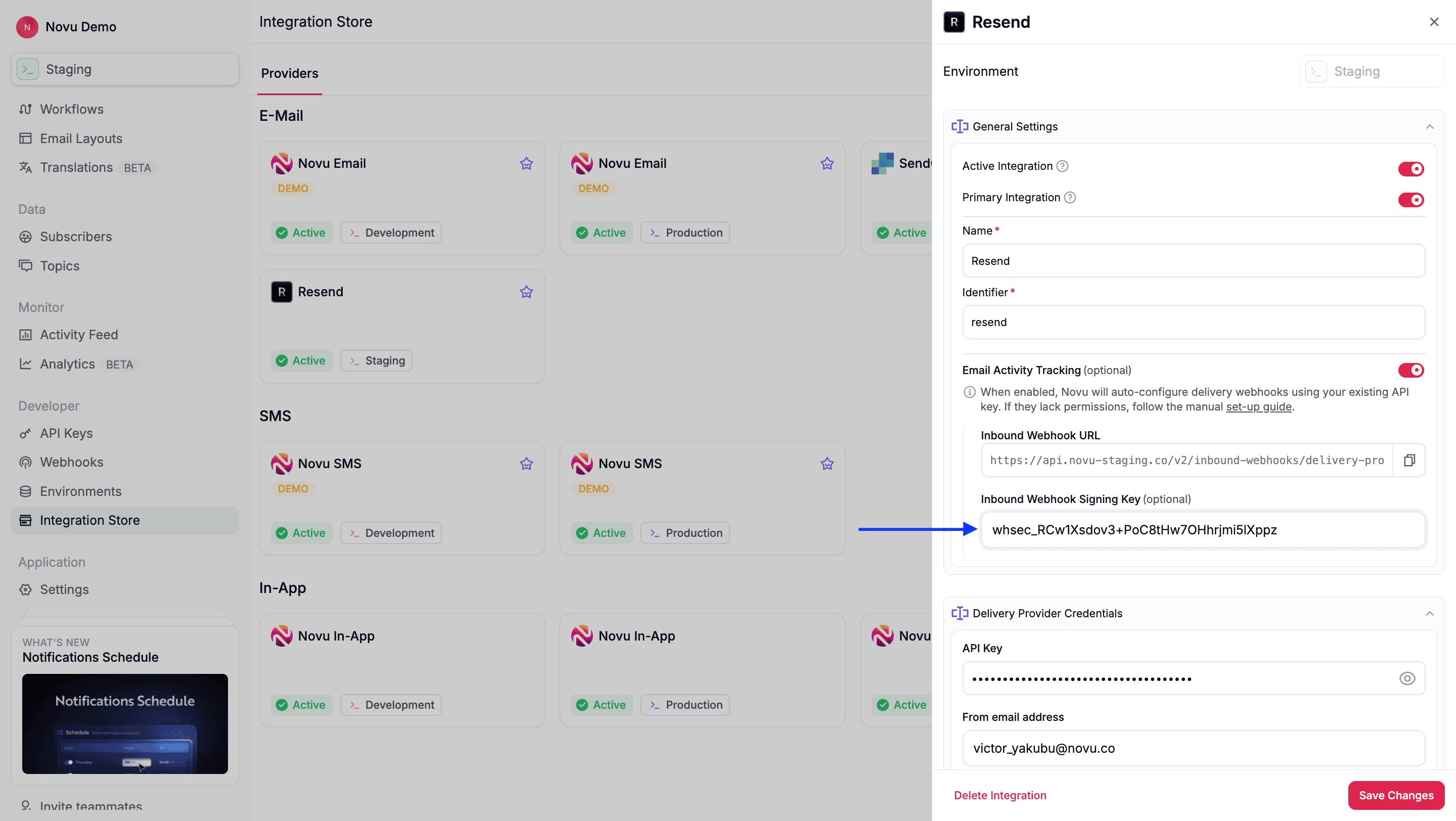
- Click Save Changes.